 Jika Anda memerlukan Mobil, Rent Car Sejahtera Solusinya


11 tahun yang lalu
| Press this key | To do this |
|---|---|
| F1 | Display Help |
| Ctrl+C (or Ctrl+Insert) | Copy the selected item |
| Ctrl+X | Cut the selected item |
| Ctrl+V (or Shift+Insert) | Paste the selected item |
| Ctrl+Z | Undo an action |
| Ctrl+Y | Redo an action |
| Delete (or Ctrl+D) | Delete the selected item and move it to the Recycle Bin |
| Shift+Delete | Delete the selected item without moving it to the Recycle Bin first |
| F2 | Rename the selected item |
| Ctrl+Right Arrow | Move the cursor to the beginning of the next word |
| Ctrl+Left Arrow | Move the cursor to the beginning of the previous word |
| Ctrl+Down Arrow | Move the cursor to the beginning of the next paragraph |
| Ctrl+Up Arrow | Move the cursor to the beginning of the previous paragraph |
| Ctrl+Shift with an arrow key | Select a block of text |
| Shift with any arrow key | Select more than one item in a window or on the desktop, or select text within a document |
| Ctrl with any arrow key+Spacebar | Select multiple individual items in a window or on the desktop |
| Ctrl+A | Select all items in a document or window |
| F3 | Search for a file or folder |
| Alt+Enter | Display properties for the selected item |
| Alt+F4 | Close the active item, or exit the active program |
| Alt+Spacebar | Open the shortcut menu for the active window |
| Ctrl+F4 | Close the active document (in programs that allow you to have multiple documents open simultaneously) |
| Alt+Tab | Switch between open items |
| Ctrl+Alt+Tab | Use the arrow keys to switch between open items |
| Ctrl+Mouse scroll wheel | Change the size of icons on the desktop |
 +Tab +Tab | Cycle through programs on the taskbar by using Aero Flip 3-D |
| Ctrl++Tab | Use the arrow keys to cycle through programs on the taskbar by using Aero Flip 3-D |
| Alt+Esc | Cycle through items in the order in which they were opened |
| F6 | Cycle through screen elements in a window or on the desktop |
| F4 | Display the address bar list in Windows Explorer |
| Shift+F10 | Display the shortcut menu for the selected item |
| Ctrl+Esc | Open the Start menu |
| Alt+underlined letter | Display the corresponding menu |
| Alt+underlined letter | Perform the menu command (or other underlined command) |
| F10 | Activate the menu bar in the active program |
| Right Arrow | Open the next menu to the right, or open a submenu |
| Left Arrow | Open the next menu to the left, or close a submenu |
| F5 (or Ctrl+R) | Refresh the active window |
| Alt+Up Arrow | View the folder one level up in Windows Explorer |
| Esc | Cancel the current task |
| Ctrl+Shift+Esc | Open Task Manager |
| Shift when you insert a CD | Prevent the CD from automatically playing |
| Left Alt+Shift | Switch the input language when multiple input languages are enabled |
| Ctrl+Shift | Switch the keyboard layout when multiple keyboard layouts are enabled |
| Right or Left Ctrl+Shift | Change the reading direction of text in right-to-left reading languages |

Pemrograman Java Web
download disini :

OC: Windows XP/Vistasize: 37 MB
Download :
http://uploading.com/files/MW5XTE6A/ACDSEE.PRO.2.5.358.rar.html

Password : www.thedarkwarez.com
Download :Praktikum Adobe Photoshop CS 2
Judul: Praktikum Adobe Photoshop CS2
Bahasa: Indonesia
Penulis: Slamet Riyanto
Jumlah halaman: 126 (10 ebook)
Format ebook: PDF

Dunia komputer grafis sangat luas dan kompleks karena terdapat beberapa aplikasi pengolah gambar dan tata letak halaman publikasi. Munculnya berbagai aplikasi pengolah gambar dan tata letak disebabkan kebutuhan yang berbeda-beda mulai dari: printing, adversiting, broadcasting maupun keperluan lain.
Di bawah ini merupakan gambaran materi materi apa saja yang di bahas di dalam ebook ini:
1. Pengantar
2. What is Photoshop?
3. Menggunakan Tool
4. Bekerja dengan Warna
5. Mengatur Warna dan Tonal
6. Teknik Seleksi
7. Transforming and Retouching
8. Layers
9. Filter
10. Format File
download ebooknya di link bawah ini :
http://duniadownload.com/ebook-gratis-design/praktikum-adobe-photoshop-cs2.html
 kamu bisa download bukunya d bawah ini


 Buku ini berisi pembahasan mengenai pengembangan aplikasi database Client-Server dengan Visual Basi 6.0, Microsoft Access, dan Crystal Report pada jaringan komputer. Di sini Anda akan dipandu untuk mencoba membuat aplikasi database Client-Server pada jaringan komputer. Visual Basic 6.0 adalah salah satu bahasa pemrograman yang dapat digunakan untuk pengembangan aplikasi Client-Server, sedangkan Microsoft Access adalah database yang dikhususkan untuk aplikasi database berskala kecil sampai menengah, tapi juga dapat digunakan sebagai database pada jaringan komputer dan bertindak sebagai database server walaupun tidak seandal database server yang sebernarnya seperti SQL Server atau Oracle.
 Buku ini lebih banyak menekankan pada cara mengakses dan berinteraksi dengan data yang terdapat pada komputer server. Pembahasan dimulai dari pembuatan Microsoft Access pada server, membuat sharing direktori database pada komputer server, dan membuat mapping ke direktori database pada komputer server, dan pembuatan koneksi baik menggunakan ODBC Connection String, Connection String, berbagai driver ODBC seperti File DSN, System DSN, maupun User DSN. Pembuatan contoh operasi-operasi data menggunakan perintah SQL seperti SQL Insert, SQL Update, SQL Delete, dan SQL Select langsung pada program aplikasi Visual Basic 6.0. Selain itu, juga dibahas bebrapa koneksi dari Crystal Report ke database Microsoft Access yang terdapat pada komputer server.
Link : Download Ebook Pemrograman pada Jaringan Komputer dengan Visual Basic 6.0.
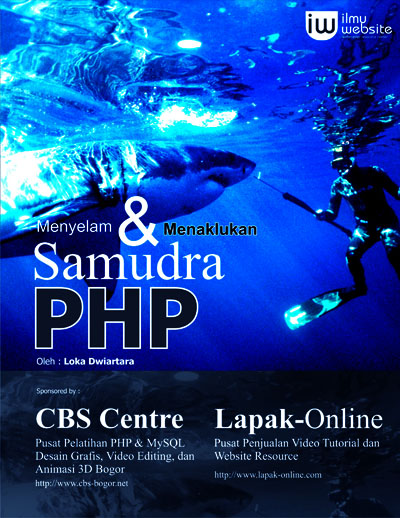
Ebook PHP Ilmuwebsite ini kami buat untuk melengkapi tutorial-tutorial untuk kategori Belajar PHP di ilmuwebsite, semua orang boleh mengkopinya, semua orang bebas mendistribusikannya. Oke langsung saja download di sini …
http://www.ilmuwebsite.com/downloadyuk/ebookphpilmuwebsite.rar.html
 | Create table "members" | |||
 | ||||
| |||||||||||
| ||||||||||
| |||||||||
| |||||||||
 | For PHP5 User - checklogin.php | |
| ||
| ||

.jpg)


